TL;DR: Model Context Protocol (MCP) lets AI apps connect to your business systems, but most MCP server deployment best practices don’t address the core scaling problem: context window exhaustion. When you connect multiple MCP servers, the LLM must process 75,000-100,000+ tokens just loading tool definitions before doing any work—leading to wrong tool selection, failed multi-turn conversations, and unsustainable token costs. The solution: ToolIQ by Barndoor sits between your LLM and MCP servers as an intelligent routing layer. It enforces access policies first, then filters your tool catalog to only 8-10 relevant tools with lightweight descriptions. This reduces token usage by 95% while maintaining security and enabling you to scale MCP and AI across your organization without performance degradation.
Model Context Protocol (MCP) transformed how we connect LLMs to business systems—providing a standardized way to expose APIs, databases, and internal services without custom integrations. Teams trying to scale MCP in production environments hit the same wall: context window exhaustion that makes enterprise MCP deployments impractical.
You can connect one MCP server and everything works fine. Add more than one server and performance collapses—token costs spike, the LLM makes wrong tool choices, and multi-turn conversations become impossible.
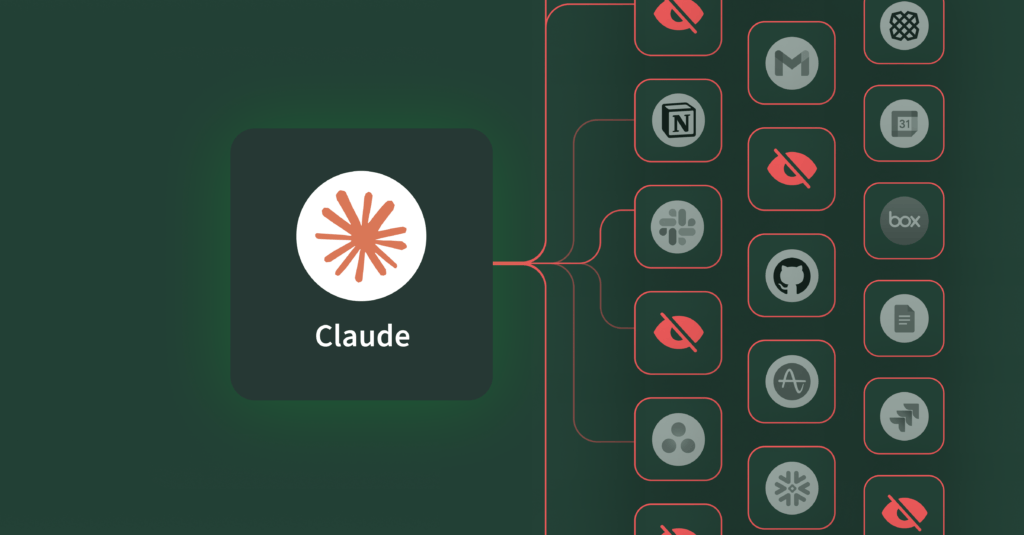
Here’s what’s happening: when you have one MCP server, it’s like looking through a toolbox. You can see everything at a glance and grab the tool you need. Connect two or three servers and now you’re searching through a garage for multiple tools—some in a drawer, some in a toolbox on the shelf, some hanging on the wall. You need to think about where things are. Connect five or more MCP servers and you’re wandering through Home Depot trying to find a wrench in aisle 47, a drill bit in aisle 12, and sandpaper somewhere in the back corner. The LLM has to process every tool from every department across the entire store before it can figure out what’s relevant and where to find it.
The teams hitting this hardest are the ones using MCP the way it was designed: connecting comprehensive tool catalogs across their entire stack. But at that scale, three problems emerge:
1. Context window exhaustion. Each tool definition consumes 400-600 tokens. Connect five MCP servers with 50 tools each and you’ve burned 75,000-100,000 tokens just describing what’s available before the LLM reads the user’s question or does any work. Recent analysis shows this can represent 80-90% of your input tokens on a typical query—you’re paying for a massive catalog dump when you only need a handful of tools.
2. Tool selection accuracy degradation. When presented with hundreds of similar-looking tools, models struggle to pick the right one. You ask about HubSpot campaign data and the LLM tries Salesforce queries first. The model isn’t broken, it’s just overwhelmed by the volume of tools available.
3. Tool execution payload bloat. This is the next layer of the context problem. Even after the LLM picks the right tools, those tools often return massive payloads. Search your inbox for meeting summaries and each email consumes 17-20k tokens of context. You blow through your window after loading just 4-5 emails. Multi-turn conversations that should be simple—like “find those emails, summarize the key decisions, and create action items”—become impossible because tool execution results eat your entire context budget. At production scale, this is what kills complex workflows and makes MCP impractical for real automation.
4. Load spikes and cost growth on underlying systems. Inefficient LLMs interacting across all your MCPs hunting for the tool or system to perform its task risk self-amplifying traffic patterns that stress normal reliability controls (rate limits, retries, queue growth) that could lead to outages and infrastructure increase; not to mention stress on your infrastructure teams. Imagine unconstrained LLMs, fan out queries across all your systems that appear to be normal user request growth but in fact is an agent hunting for its answer. Some LLMs will make continual retries and won’t backoff. We can see a myriad of potential problems.
Why Do Common MCP Scaling Approaches Fail?
The first instinct is to build separate agents for each domain—one for Salesforce, one for HubSpot, one for your databases. But this defeats the entire point of using LLMs in the first place. The power of AI isn’t just automating tasks within a single system—it’s reasoning across your entire stack to connect insights, automate workflows, and solve problems that span multiple tools. If you silo your agents by domain, you’ve just rebuilt the same integration problems MCP was supposed to solve, and you’ve moved the complexity from the infrastructure layer back to your users, who now need to figure out which agent to ask for what.
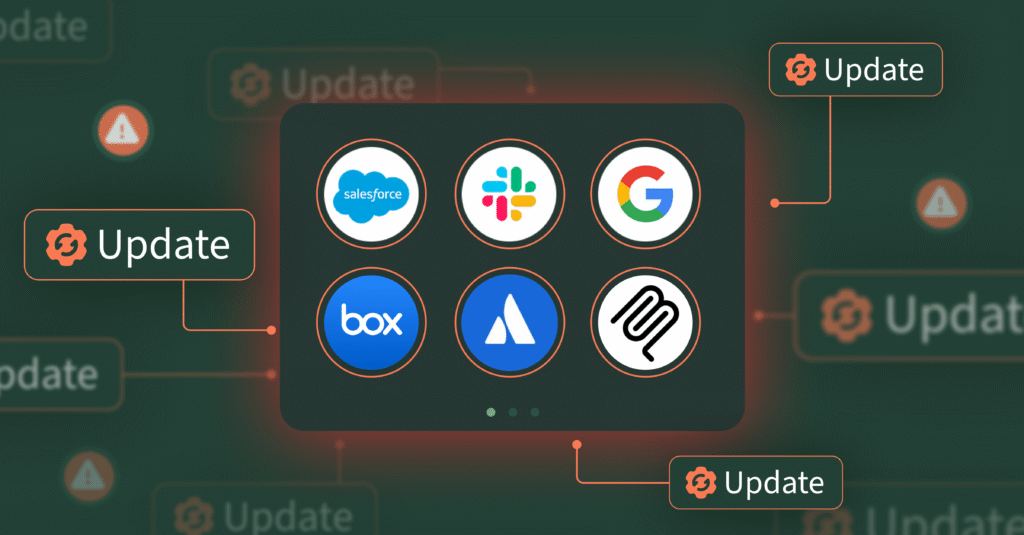
Some teams try maintaining YAML configs that specify which users get access to which tools, but this creates operational overhead that doesn’t scale. Every new MCP server means updating multiple configuration files, and every role change means reconfiguring access mappings across your system. A publicly traded software company required a full-time engineer whose entire job was updating MCP tool configurations across dozens of agents. Every time a tool changed- new scopes, a new URL, a new capability- the update had to be communicated, propagated, and manually configured in every single agent. The tools weren’t the problem; the lack of a central routing layer was.
Prompt engineering tricks like adding instructions to “only use relevant tools” sound promising but don’t actually work in practice. LLMs are bad at ignoring information that’s already loaded in their context window. If the tool definitions are there, the model processes them whether you want it to or not.
The real problem requires an architectural solution, not a configuration workaround.
Introducing ToolIQ: Context Filtering for MCP at Scale
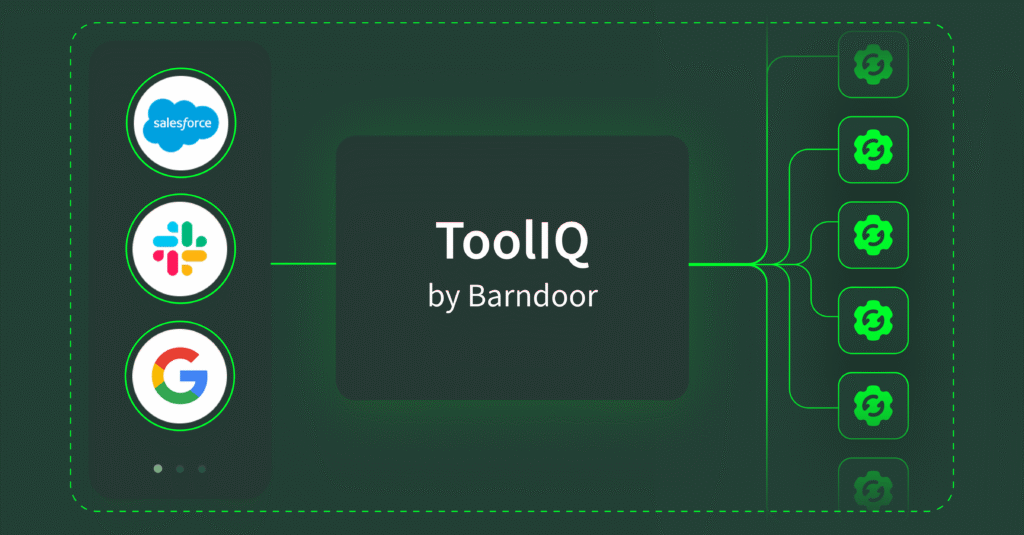
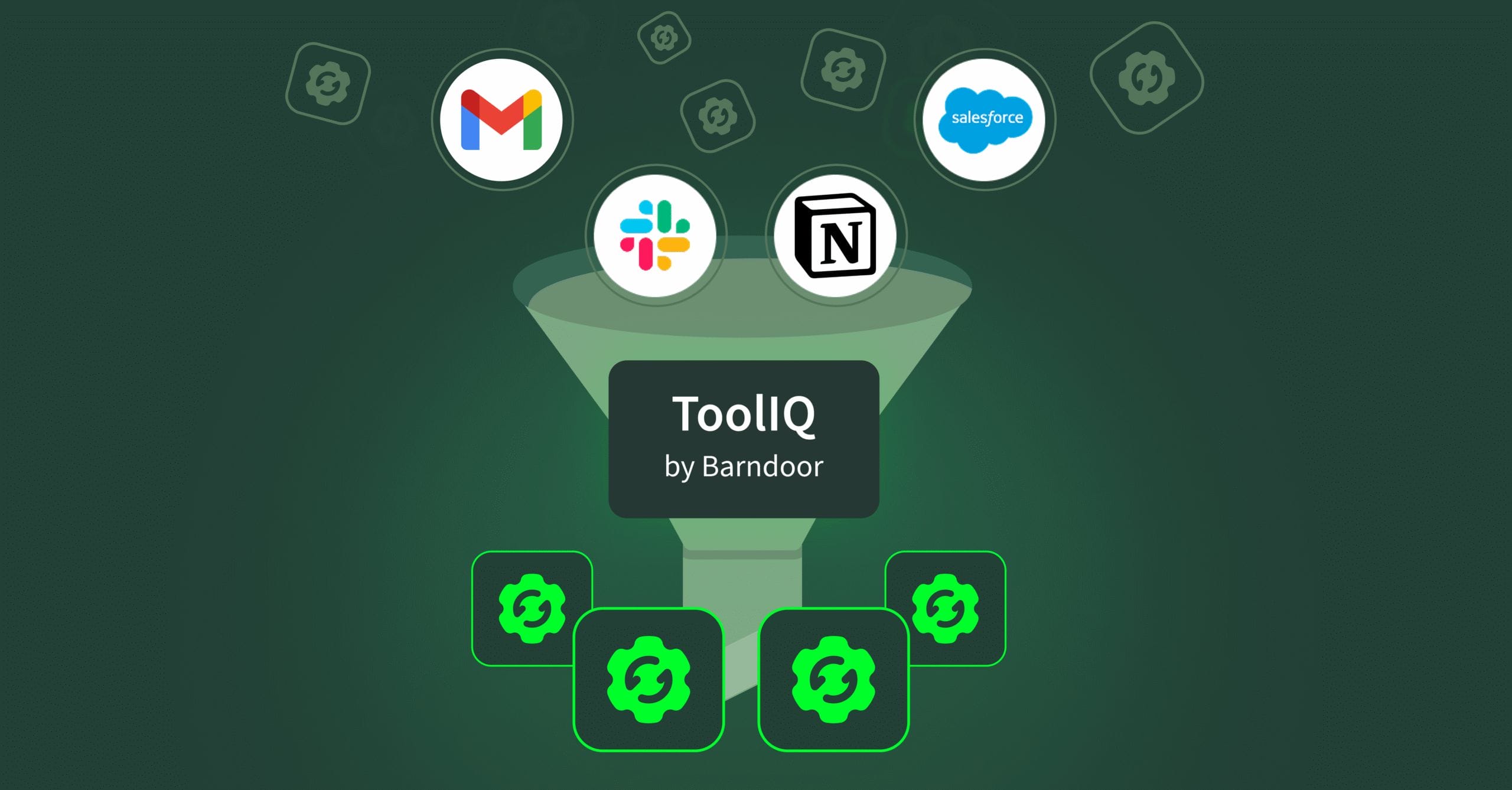
ToolIQ by Barndoor sits between your LLM and MCP servers as an intelligent context layer. When a request comes in, Barndoor enforces your access policies first, then ToolIQ filters your tool catalog to only the relevant functions. The result: your LLM gets 8-10 relevant tools with simple descriptions instead of context-heavy descriptions for 250 tools.
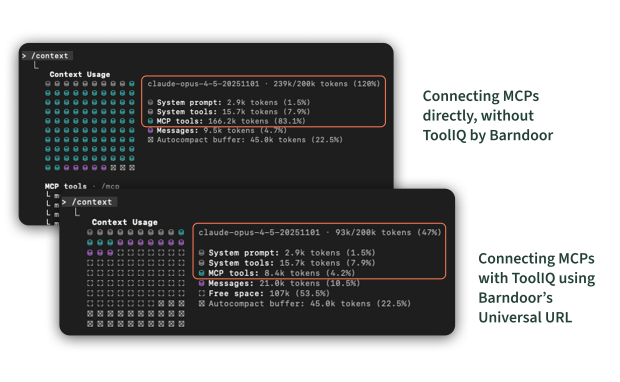
Think back to the Home Depot problem. Instead of wandering through every aisle processing every tool in the store, ToolIQ goes and gets what you need from across all those aisles and puts them in one toolbox for that specific request. Instead of using 150,000 tokens to find what you need, you use 5,000.This is what makes enterprise MCP deployments viable at production scale.
Here’s how ToolIQ solves MCP context overload:
Policy enforcement first: When a user makes a request with an LLM, it passes through Barndoor’s gateway and evaluates which MCPs and tool calls are in policy according to the access controls the admin has set up based on their user role, AI client, and requested actions. The LLM can only access tools that pass these policy checks.
search_tools will then analyze your query using natural language to find relevant tools across your connected systems. Ask about “Q3 sales performance” and it looks for CRM analytics and reporting functions, not your Slack integration or Google Drive tools. The search understands both what you’re asking for and where that data lives, so it can filter by source system (like narrowing to just your Salesforce server) or by function type (only showing read operations when you’re asking questions, not write functions).
Under the hood, ToolIQ maintains a registry of all available tools with single-line descriptions that include both the tool information and which MCP server it comes from. When you make a request, it returns these instead of context-hungry tool descriptions. As a result, the model can decide which one is best for the job.
This gives the LLM two advantages: it discovers what’s available without processing everything, and narrows options based on what makes sense for the task. Meanwhile, ToolIQ uses the principles of progressive disclosure to only provide the information necessary for the next step. Thus, it avoids overloading the agent with too much context upfront.
execute_tool runs the tools that search identifies as relevant. The LLM only loads complete schemas and executes functions for tools it’s already determined are useful.
By separating discovery from execution, ToolIQ ensures the LLM makes informed decisions before loading expensive tool schemas.
Here’s what it looks like in practice: When a marketing manager asks the LLM or agent “How many leads came in through last month’s campaign?”, here’s what happens:
ToolIQ checks the user and role-based permissions you’ve configured in Barndoor first, confirming they have access to HubSpot and marketing automation MCP servers and tools, but not Salesforce or finance databases. Next, the LLM searches within those allowed tools. It identifies 8-10 relevant functions for campaign analytics. Finally, it executes with focused context.
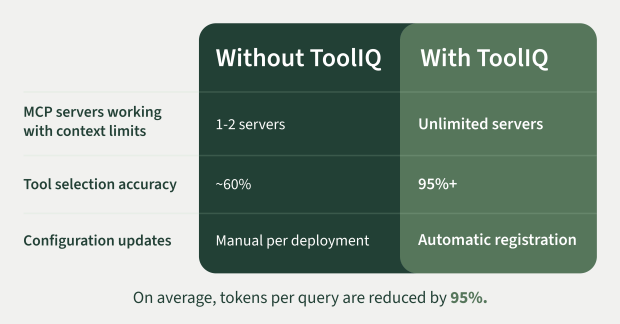
The result: Your LLMs make better decisions because they’re not drowning in irrelevant options, and token costs drop 10-20x on typical queries because you’re only paying for what you need.
MCP Architecture: How Barndoor Enables Enterprise AI at Scale
Without Barndoor’s ToolIQ, most teams can only run one to two MCP servers before hitting context limits. That’s fine for a demo, but you can’t scale it to your organization. You can’t roll out AI and MCP to employees when the LLM can only access a fraction of your systems at a time. Additionally, you definitely can’t build meaningful automation across your stack.
The mistake teams make is treating MCP as purely an integration protocol—wire up the servers, expose the tools, let the LLM figure it out. In contrast, ToolIQ is what makes it possible to deploy AI that works across multiple systems simultaneously. It turns proof-of-concept implementations into production-ready infrastructure.
Here’s the architecture pattern that works:
Access control happens at the routing layer. Instead of managing which users can call which tools through configuration files, you enforce permissions where tool requests get routed. This solves both the context problem and the governance problem simultaneously.
Intelligent routing sits between users, AI clients and MCP servers. This layer handles intent analysis, tool filtering, and context optimization before requests hit your MCP servers.
Tool discovery stays dynamic. When a new MCP server is deployed, it registers automatically, no manual configuration updates. The router learns about new tools and includes them in filtered results based on access and relevance.
Context stays manageable and cost effective. By only loading relevant tools per request, you keep token usage predictable regardless of how many total systems you’ve connected. Moreover, adding your tenth MCP server doesn’t degrade performance on queries that only need three.
What to Consider Before You Deploy MCP in Production
If you’re planning an MCP deployment, policy controls and context management needs to be built into your infrastructure from the start, not something you bolt on later when you hit problems.
The questions you should be asking:
- How do we filter tools intelligently before they hit the model?
- Can we enforce access controls at the routing layer instead of through manual configs?
- How does our architecture handle adding new systems without degrading performance?
- What happens to context consumption as conversations get longer?
These aren’t optimizations to consider later, they’re requirements for building AI infrastructure that work at scale.
Ready to Scale AI in Production?
ToolIQ is available now in Barndoor. Connect your AI agents, MCP servers, set your policies, and let intelligent routing handle the rest. As a result, your MCP deployment scales, your costs stay predictable, and your teams get AI that actually works across your entire stack. Schedule a demo today.