TL;DR: Barndoor MCP Governance governs the part of AI traffic that most security tools miss entirely: tool calls. Every time an agent retrieves a customer record from Salesforce, writes to Jira, queries Snowflake, or pulls a document from SharePoint, it crosses a trust boundary that an LLM gateway never sees.
MCP Governance gives platform and security teams one control plane for that traffic: identity-aware access policies tied to your IdP, per-server and per-tool authorization, rate and call-volume limits, full audit, and an inventory of every MCP server any agent in your org can reach.
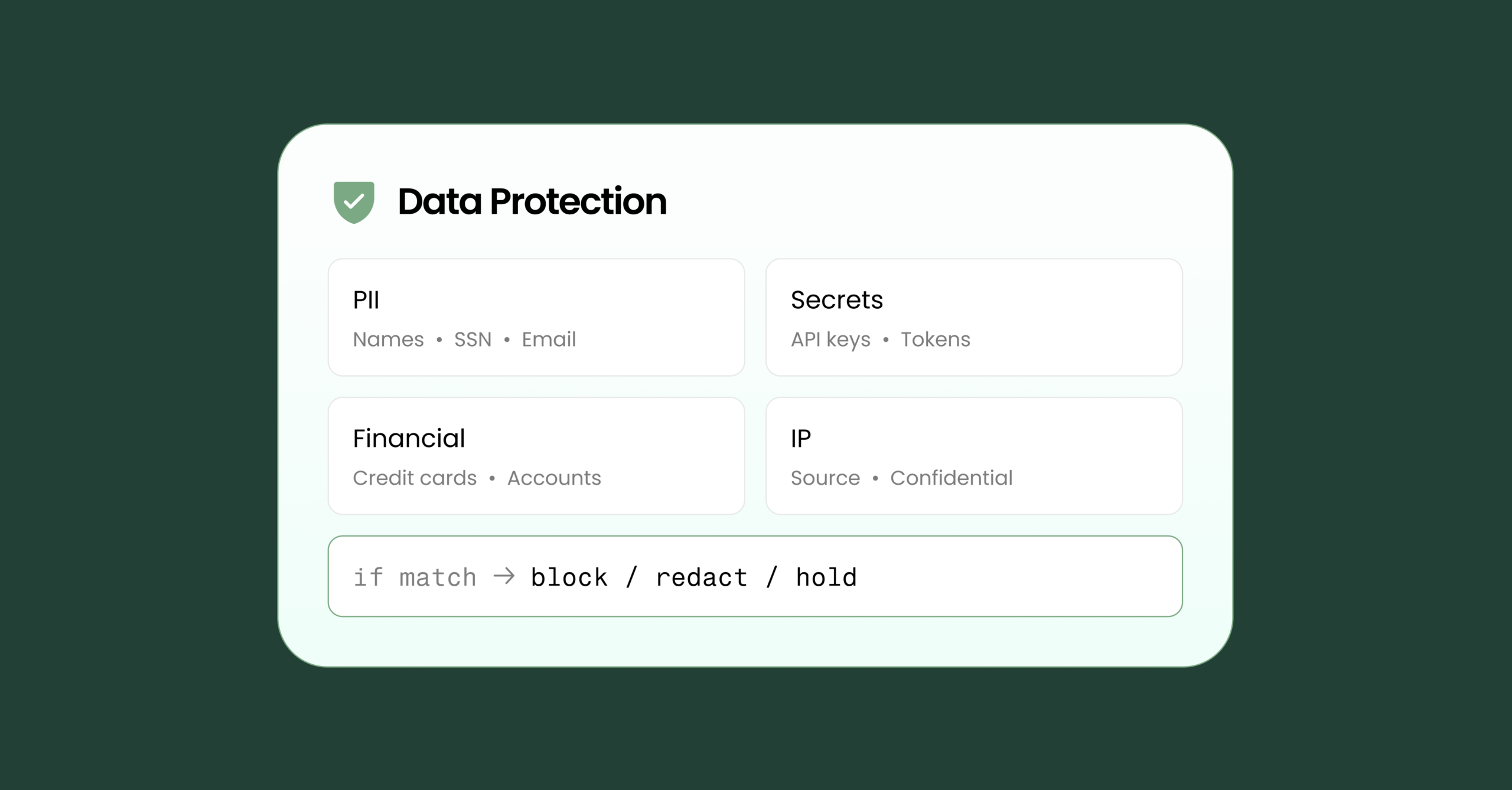
Customers can apply data protection policies for MCPs: inline inspection of every tool input and output, with tokenization, masking, redaction, omission, or blocking applied per policy. That includes classification-label-aware enforcement and prompt-injection detection on tool outputs, the vector that hijacks agents most reliably. For full coverage, pair Barndoor MCP Governance with Barndoor LLM Gateway, which handles the prompt and model-responses.
Barndoor MCP Governance
The problem shows up fast once you start running real agents. A single user prompt can fan out into a dozen tool calls. The agent queries a CRM, joins the result with a row from a data warehouse, summarizes a document from an internal wiki, and writes a status update to a ticketing system, all before the user sees a response. Each of those calls is a request from your environment into another system, carrying whatever context the agent decided it needed, with no human in the loop.
Barndoor MCP Governance sits between every agent in your environment and every MCP server those agents are allowed to call. Whether that’s a custom internal copilot, a vendor product, or an IDE like Cursor or Cline, tool calls route through one inspection and policy point rather than going directly to each server.
Core capabilities
- Universal MCP endpoint. One URL for every MCP server in your catalog. Agents integrate once and inherit policy automatically as new servers are added.
- Identity-aware access policies. Barndoor connects to your existing IdP and applies consistent policy across every agent, regardless of which client is calling.
- Per-server and per-tool authorization. Policy scopes down to the individual tool, not just the server. A copilot can have read-only access to one tool on a CRM server and no access to the others.
- Unified inventory and audit. Every server, every tool, every call, in one place.
Where data leaks happen
Agent workflows cross four trust boundaries. Two are on the MCP side, two on the LLM.
MCP tool input is the payload an agent sends to an MCP server. Say an internal copilot pulls a customer record from Salesforce and decides it needs to enrich the data. It calls a third-party enrichment server and passes the customer’s SSN, address, and account number as arguments. That data is now in a request headed to a service your security team has never reviewed.
MCP tool output is what comes back. A SharePoint server returns a document tagged Confidential. The agent drops the full content into its context window and keeps going — meaning the next call, whether to another MCP server or to the model, now carries that content along. Tool outputs are also the primary surface for indirect prompt injection: malicious instructions embedded in a document, ticket, or wiki page that the agent follows because it has no way to distinguish data from instructions.
LLM prompt and response are the two surfaces on the model side. An LLM gateway covers these. They matter, but they’re also the surfaces with the most existing tooling. The gaps that tend to go unaddressed are on the MCP side.
Barndoor data protection runs on every tool input and output passing through MCP Governance, inspecting, applying policy, and transforming the payload before the call continues.
Detection across structured and unstructured payloads
MCP traffic is mostly structured. A field labeled “ssn” in a payload schema is easy to catch. An order ID format is easy to validate. But a confidential document returned inside a content field can carry adversarial instructions in plain prose.
Pattern-based classifiers handle structured PII, credentials, secrets, and well-formed identifiers. Model-based classifiers handle the messier cases: names buried in a document body, identifiers paraphrased rather than copied, regulated terms used in context rather than in isolation. Custom detectors tend to be more business-specific here than on LLM traffic – your internal account formats, customer record shapes, industry-specific regulated identifiers, or the schema of a particular tool that needs its own handling.
For indirect prompt injections happening in MCPs, Barndoor MCP Governance runs a transformer-based classifier on every tool output before the content reaches the model.
Seven transformation options
When the detection engine finds something, there are seven things it can do with it. The right choice depends on whether the downstream call still needs the value to work.
- Block. The tool call is rejected and never leaves MCP Governance. The right default for anything where passing through even a transformed version isn’t acceptable.
- Redact. The sensitive value is stripped and replaced with a marker like [REDACTED].
- Mask. The field stays, but its contents are replaced with a placeholder — usually preserving a useful suffix. The last four of an SSN, the last six of an order number. Enough for the agent to reason about the value without exposing it.
- Omit. The field is removed from the payload entirely, no marker, no placeholder. Useful when a downstream tool’s schema treats a present-but-redacted field differently from an absent one.
- Tokenize. The sensitive value is swapped for a reversible placeholder before the call leaves your perimeter. The MCP server sees only the token. The agent keeps referencing it. The original value is restored on the way back to the user. This is the default for PII going to third-party servers that aren’t vetted data processors.
- Alert only. The content passes through unchanged, but the detection is logged. Useful early in a rollout when you want to measure hit rates and tune false positives before turning on enforcement.
- Allow. The content passes through with no action and no alert. Used for explicit exceptions — a specific internal server where a value pattern is expected and shouldn’t generate noise.
Classification labels aren’t enough for AI
Most enterprise content systems already carry classification labels: Confidential, Restricted, PII, sensitivity scores. But relying on content inspection to catch sensitivity after the fact is a losing strategy. MCP Governance can trigger policy on the label itself by blocking or transforming a tool output before any content is read.
Questions worth asking before you deploy
- Does Barndoor MCP Governance inspect every tool call, or a sampled subset?
- Can policies trigger on classification metadata, not just content matching?
- Can detection groups be shared across MCP and LLM policies, or does every policy carry its own copy of the rules?
- How granular is policy scope? By server, tool, user group, or agent identity?
- Is there a live inventory of every MCP server and tool agents in the org can reach, with the policies that apply to each?
The Barndoor LLM Gateway piece
Barndoor MCP Governance covers the tool surfaces. It doesn’t cover what the agent sends to the model or what comes back. Barndoor LLM Gateway handles those two surfaces, using the same detector classes, transformation options, and policy editor. A detection group can attach to both MCP and LLM policies at once, so you’re not maintaining two sets of rules.
Learn more on how data protection handles prompts and model responses here.
Where to start
Pick the highest-impact leaks first. Tokenize PII on tool inputs. Block tool outputs carrying sensitive labels. From there, tune on the false positives, add custom detectors for the things specific to your business, and expand scope as needed.
Ready to deploy?
Barndoor MCP Governance brings every MCP server in your org under one control plane. Tool calls are governed by identity and granular policies, and sensitive data stays inside your perimeter. Schedule a demo.